
.webp?width=158&height=85&name=New-logo-Ourgreen%20(1).webp)

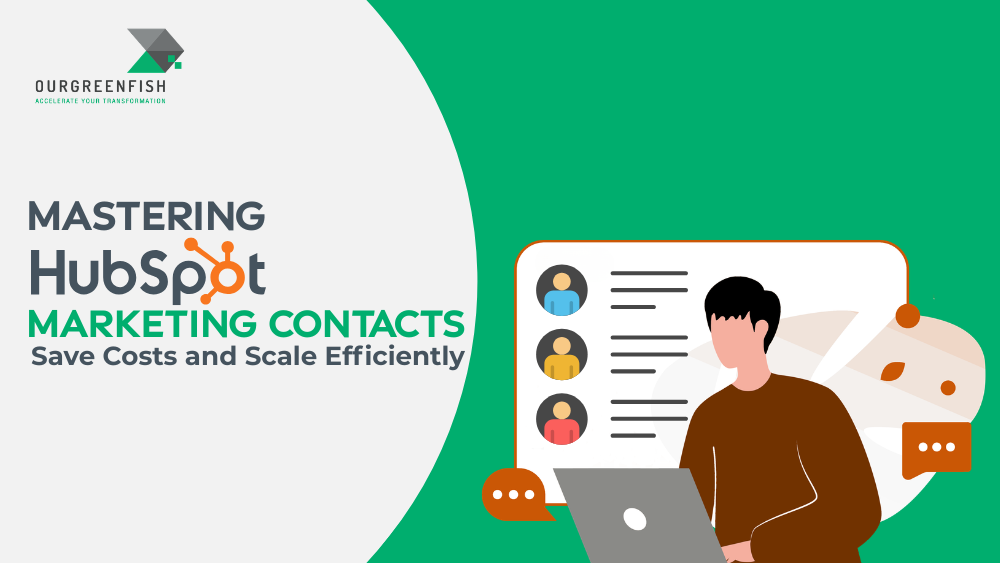
The Hidden Logic of HubSpot Marketing Contacts: How to Scale Without the Sticker Shock
For many growing businesses, a CRM is viewed as a digital filing cabinet—a place to store names and emails until they’re needed. However, in the HubSpot ecosystem, your database is more than just storage; it is a powerful engine governed by "Marketing Contact" logic. If you don't understand how this engine works, you may face significant, unexpected SaaS costs.
The shift to HubSpot’s marketing contact model was designed to solve a common pain point: why pay for the thousands of "dead" leads or sales-only contacts sitting in your system? The philosophy is simple: you should only pay for the people you are actually talking to. But as many users discover too late, the transition between "storing" a contact and "marketing" to one is a narrow bridge that is very easy to cross accidentally.
The "Non-Marketing" Loophole (It’s Not Just a Name)
The most important concept to grasp is the fundamental divide between Marketing and Non-Marketing contacts. In HubSpot, you aren't charged for non-marketing contacts, regardless of how many you have in your system. They are essentially in free storage; you can view their history, track their activity, and send them one-to-one sales emails or sequences.
The cost only enters the equation when you designate a contact as "Marketing." According to HubSpot's documentation:
"Only marketing contacts count toward your contact tier and impact the cost of your subscription. Any contacts you don't plan on marketing to can be set as non-marketing contacts, which don't count toward your contact tier, and you aren't charged for them."
This is a massive advantage for businesses with large legacy databases. You can keep your entire lead history without incurring a massive bill, as long as you are selective about who receives your marketing blasts.
The "Instant Upgrade" Trap You Didn't See Coming
While the "Non-Marketing" status protects your budget, the "Step Up" mechanism does the opposite.
HubSpot does not allow you to buy contacts one by one. Its billing is designed to scale in large, automatic increments. If you exceed your contact tier by even a single person—for example, having 2,001 marketing contacts on a 2,000-contact Professional plan—the system doesn't block the lead. Instead, it automatically "steps you up" to the next tier and charges you immediately.
The jumps are substantial:
- Starter: Starts at 1,000 contacts; increases in increments of 1,000.
- Professional: Starts at 2,000 contacts; increases in increments of 5,000. (One extra contact turns a 2,000-tier into a 7,000-tier).
- Enterprise: Starts at 10,000 contacts; increases in increments of 10,000.
Pro-Tip: Because these jumps happen the moment you hit 2,001 or 10,001, proactive monitoring isn't just a best practice—it's a financial necessity.
The "Point of No Return" in Your Contract
The logic of HubSpot's billing is asymmetrical: upgrades are instant, but price relief is delayed.
If you realize you’ve made a mistake and set too many contacts to "Marketing," you can change their status back to "Non-Marketing" to prevent them from being used with marketing tools. However, while the status change takes effect at the start of the next month, the price you pay is locked in until your contract renews.
As highlighted in the transcript:
"If you’re 5 months into a 12-month contract and you accidentally exceed your limit... You are stuck with that higher-tier price for the remaining 7 months. You cannot reduce the cost until the contract renewal period."
A single bot attack on a form or an unfiltered list import could potentially cost your business thousands of dollars over the remainder of your annual term.
The "Off-by-Default" Golden Rule for Lead Gen
To avoid the "Instant Upgrade" trap, you must disable automatic marketing contact settings across all lead capture points. By default, many HubSpot tools want to categorize new leads as marketing contacts immediately. You should audit the following and turn the "Set as marketing contact" toggle OFF:
- Manual Creation: Ensure team members aren't unnecessarily checking the box.
- Imports: Double-check the marketing status checkbox during the final stage of every CSV import.
- HubSpot Forms: Don't let every random form-filler trigger a tier jump.
- Non-HubSpot Forms: If you use the HubSpot tracking code on external sites, disable the auto-tagging of these leads.
- Ad Integrations: Facebook or LinkedIn lead ads can surge unexpectedly; review these leads before paying for them.
- App Integrations: External apps can flood your system with data, triggering an upgrade.
- Chatflows: Automated bot interactions should not automatically count against your paid quota.
Multi-Channel Savings (The LINE Integration Advantage)
Smart strategists look for "loopholes" that allow communication without hitting quotas. A prime example is the LINE integration.
Because LINE is an external channel integrated into the CRM, you can communicate with users who add your business on LINE without "wasting" your Marketing Contact quota. This is a massive efficiency win—it allows you to scale your reach and maintain high-touch communication via a major channel while keeping your HubSpot bill flat.
Creating an "MQL" Filter for Your Wallet
High-level efficiency in HubSpot requires using automation to manage your tiers. A "Good" Marketing contact should meet specific technical and engagement criteria:
- Valid Contact Info: Exclude "Dummy" emails or invalid formats.
- Marketability: Exclude any contacts who have already Unsubscribed or Bounced.
- Engagement: Target those with high engagement, rather than "Low Engage" users who never open your mail.
Consultant’s Strategy: The Revolving Door Use Lists to manage these filters (as they are more flexible than individual views) and Workflows to automate the status:
- The MQL Promotion: Only set a contact to "Marketing" status once they reach the Marketing Qualified Lead (MQL) stage. This ensures you only pay for leads you’ve verified.
- The SQL/Customer Demotion: Once a contact moves to Sales Qualified Lead (SQL) or Customer, they are usually handled via one-to-one sales emails or sequences. Since these tools—along with transactional emails—do not require marketing status, move them to "Non-Marketing" to free up space for new leads.
- The Cleanup: Use a workflow to automatically demote contacts who haven't engaged for months, ensuring your "Regular" and "Automation" marketing emails only reach high-value targets.
Conclusion: The Forward-Looking Summary
Managing HubSpot Marketing Contacts is not just a technical task—it is a financial strategy. By understanding that you can store unlimited data for free while selectively "paying for who you talk to," you can maximize your ROI. However, because the system is designed to upgrade you instantly and lock you into that price until the end of your contract, a "set it and forget it" mentality is dangerous.
Is your current HubSpot setup built to scale your marketing, or is it just waiting to trigger your next automatic invoice?










No Comments