
.webp?width=158&height=85&name=New-logo-Ourgreen%20(1).webp)

Fast access to accurate data is essential for sharp business decision-making. As a business owner or leader, you likely rely on your Report Dashboard daily to track sales, monitor team performance, and review key operational metrics.
However, a common frustration often creeps in: waiting for pages to load. As your business grows and your data becomes more complex, dashboards can take a surprisingly long time to render—even when the underlying data hasn't changed at all.
There is a simple yet powerful solution to this problem: Dashboard Caching. Here is everything you need to know about how this feature works and why it is a game-changer for your workflow.

The Problem with Slow Report Dashboards
Every time you open or return to a Report Dashboard, traditional reporting systems re-query your database to pull fresh data from scratch. If your dashboard contains multiple complex charts, calculated fields, or large datasets, this reload process takes time. For busy executives, these few seconds of waiting add up, creating friction and slowing down momentum throughout the workday.

What is Dashboard Caching?
Dashboard Caching allows you to control how long your Report Dashboard holds onto previously loaded data—ranging from 5 minutes up to 7 days.
Instead of fetching data from the server every single time you view the page, the system temporarily saves a snapshot of the loaded reports. During your selected cache window, switching between tabs or returning to your dashboard displays the saved data instantly, eliminating unnecessary load times.
Why Dashboard Caching Matters for Your Business
Implementing a caching strategy directly improves how you and your team interact with business intelligence:
- Eliminates Unnecessary Reloads: Complex reports stop re-querying the database needlessly when the underlying numbers haven't changed.
- Fits Actual Data Usage: Not all metrics require real-time updates. You can tailor your refresh window based on how frequently you actually review specific reports (e.g., setting a daily or weekly cache window for executive summaries).
- Delivers Faster Quick Views: When you just need a quick glance at high-level trends, caching delivers immediate visibility without keeping you waiting.
- Preserves Real-Time Flexibility: Caching does not lock your data. Whenever you need the absolute latest numbers, you can override the cache and trigger a manual update with a single click.
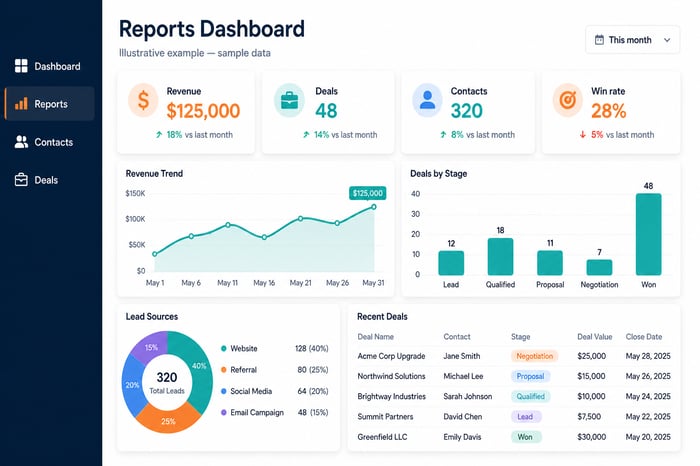
How Dashboard Caching Works
In platforms like HubSpot (where this feature is available across all portals), dashboard caching is not enabled by default. Setting it up takes less than a minute:
- Access Settings: Open your Report Dashboard and click the Settings Icon (gear icon) in the top-right corner.
- Select Cache Duration: Under Your cache setting, choose a duration that fits your workflow—from 5 minutes up to 7 days.
- Set Team Defaults: If you have ownership or edit permissions for the dashboard, you can set a default cache duration under Dashboard cache setting for all other team members viewing it.
- Track Data Recency: A Last updated timestamp appears in the lower-right corner of each report card so you always know exactly when the data was pulled.
- Manual Refresh Anytime: Once enabled, the dashboard displays cached data until the selected window expires. To pull live data immediately, simply click Refresh Dashboard in the dashboard header.

Final Thoughts
A great Report Dashboard should provide clarity, not friction. By configuring Dashboard Caching, you optimize performance, eliminate wasted waiting time, and ensure that reviewing business performance remains fast, smooth, and efficient.
References: HubSpot. (2026). HubSpot Product Updates. Retrieved from https://app.hubspot.com/l/product-updates/?rollout=318977
Read more articles: HubSpot Product Update: Customize your bookmarks for convenience and time saving (HubSpot Product Update: จัดลำดับ Bookmarks เอง สะดวกและประหยัดเวลา)

Contact us
Tel : 024-609-599
E-mail : contact@ourgreen.co.th
Website : ourgreenfish.com









No Comments