
.webp?width=158&height=85&name=New-logo-Ourgreen%20(1).webp)

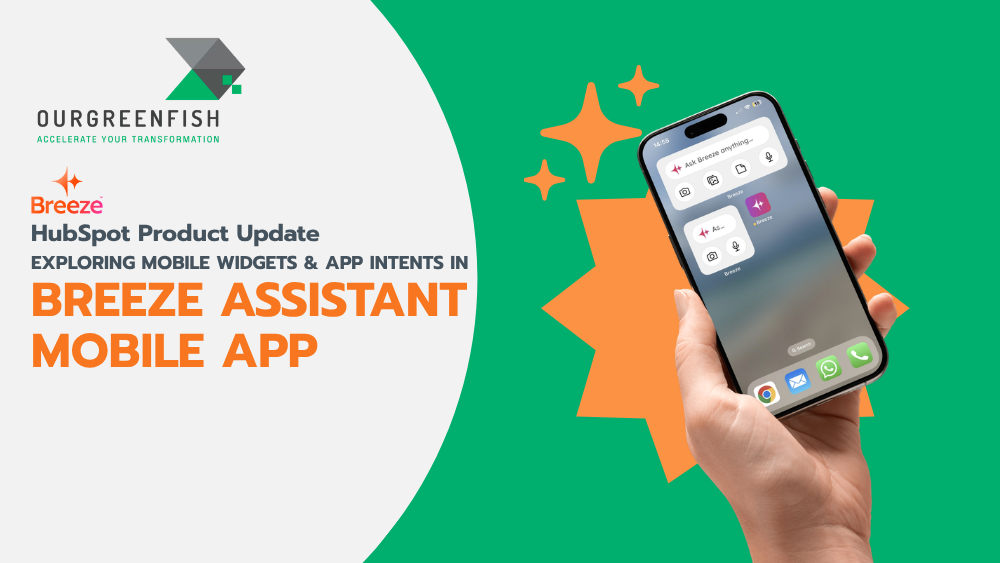
In an era where "time" is a business owner’s most valuable resource, wasting seconds unlocking your phone, scrolling for an app, and waiting for a chat interface to load can cost you a breakthrough idea or a critical decision. This is why HubSpot has taken the Breeze Assistant Mobile App to the next level with the launch of Mobile Widgets and App Intents—features designed to transform your smartphone into an instant AI command center without ever needing to open the app.
What is the Breeze Assistant Mobile App?
For those new to the ecosystem, Breeze Assistant is the intelligent AI companion built to streamline tasks within HubSpot. This latest update pushes the power of AI beyond the "app container" and places it directly onto your Home Screen and System Search.
This isn't just a minor update; it’s about collapsing the gap between "thought" and "action" into a single tap.
 >>>SIMPLIFY AI DEVELOPMENT WITH PROMPT-BASED ASSISTANT BUILDERS
Mobile Widgets: Your AI World, Condensed
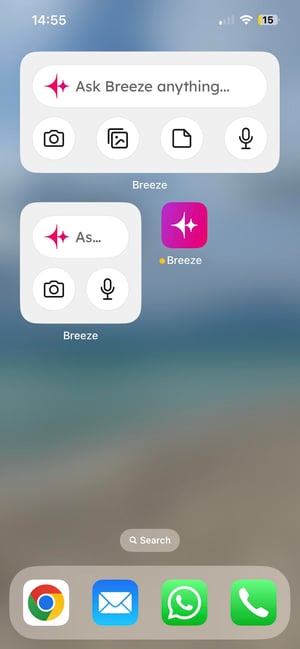
The Mobile Widgets feature, available for both iOS and Android, allows business owners to customize their home screens with various sizes and functions. It focuses on the high-frequency tasks that matter most during a busy workday:
- Quick Ask: Skip the navigation. Tap the widget to immediately input a prompt or ask Breeze Assistant a question.
- Action Shortcuts: This is the highlight. You can set one-tap shortcuts to "Take a picture" (perfect for capturing business cards or site documents for AI analysis) or "Dictate" to voice-command your AI while driving or on the move.
- Access Gallery & Files: Instantly pull images or documents from your device and hand them over to Breeze for summarization or data processing.
App Intents: Smarter Integration, Faster Results
Beyond widgets, App Intents allow the Breeze Assistant Mobile App to live natively within your phone’s operating system.
- For iOS Users: You can use Spotlight Search to trigger Breeze actions or use the Shortcuts app to create custom workflows, such as "Start a new dictation for meeting notes."
- For Android Users: A simple long-press on the Breeze Assistant icon reveals "App Shortcuts," or you can use the system search bar to type "Ask Breeze Assistant..." directly.

Why Business Owners and Teams Can’t Miss This
Consider these real-world scenarios where these features become a competitive advantage:
- Sales Representatives: Walking out of a meeting and heading to the next? Use the "Dictate" widget to record a summary and have Breeze draft a follow-up email before you even reach your car.
- Marketers: When a brilliant content idea strikes while waiting for coffee, tap "Quick Ask" to drop the prompt. Let Breeze expand on the idea or check your current campaign status in seconds.
- Business Owners: Get instant business insights—like latest sales figures or project statuses—without digging through complex menus. It makes your decision-making faster and data-driven.

How to Get Started: Simpler Than You Think
These new features are available at no extra cost. You simply need the latest version of the Breeze Assistant Mobile App.
- On iOS: Long-press your Home Screen, tap the (+) icon, search for "Breeze Assistant," and choose your preferred widget. You can also configure App Intents within the Shortcuts app.
- On Android: Long-press the Breeze Assistant app icon to see instant shortcuts, or long-press an empty space on your home screen to add a widget.
Summary: Efficiency Beyond the App
The introduction of Mobile Widgets & App Intents proves that HubSpot intends for AI to be a seamless part of your professional workflow, not just another tool to manage. By reducing clicks and minimizing interruptions, Breeze Assistant gives you more time to focus on the high-level strategy that grows your business.
If you want to move at the speed of AI, set up the Breeze Assistant Mobile App today. Expert help is now just a swipe and a tap away.
References: HubSpot. (2026). Mobile Widgets & App Intents on Breeze Assistant Mobile App. Retrieved from https://app.hubspot.com/l/product-updates/?rollout=284922
Read more articles : HubSpot Product Update: Customize your bookmarks for convenience and time saving (HubSpot Product Update: จัดลำดับ Bookmarks เอง สะดวกและประหยัดเวลา)

Contact us
Tel : 024-609-599
E-mail : contact@ourgreen.co.th
Website : ourgreenfish.com












No Comments