.webp?width=158&height=85&name=New-logo-Ourgreen%20(1).webp)

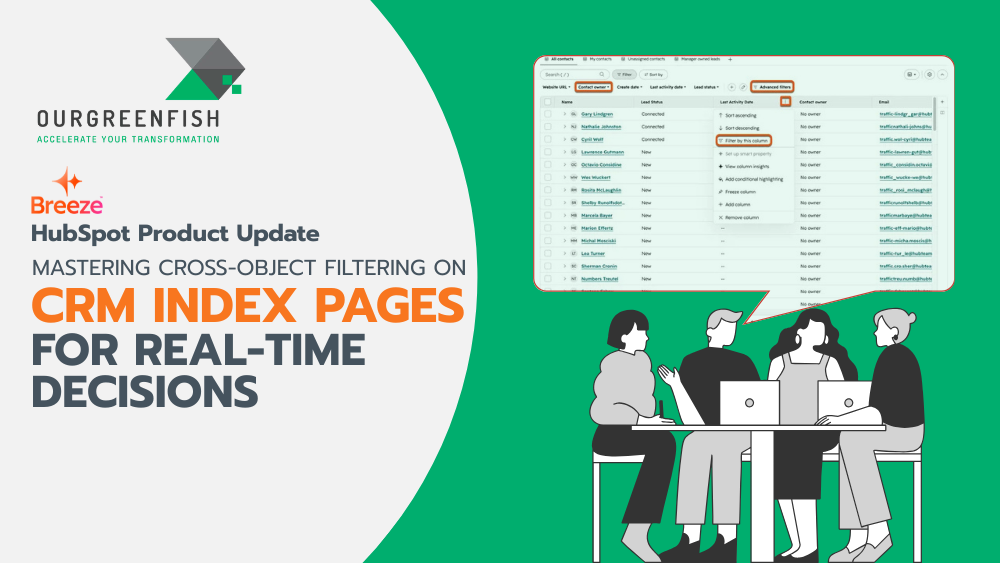
Have you ever tried answering a straightforward business question—like "Which companies have active subscriptions up for renewal, but also have open support tickets?"—only to realize it takes twenty minutes of jumping between tabs or exporting spreadsheets?
For business leaders, understanding how data connects across different touchpoints is vital for making timely, strategic calls. Historically, connecting data between different record types required exporting CSV files, performing manual VLOOKUPs, or building dedicated custom reports.
The introduction of Cross-object Filtering on CRM Index Pages changes that dynamic entirely, turning everyday workspace pages into dynamic, real-time analytical command centers.

What Is Cross-object Filtering on CRM Index Pages?
At its core, Cross-object Filtering allows you to filter primary records on any CRM Index Pages (such as Contacts, Companies, Deals, or Tasks) based on properties belonging to their associated objects.
Practical examples include:
- Filtering Contacts based on deal stage, amount, or pipeline status (Deal properties).
- Filtering Companies based on active support issues or ticket status (Ticket properties).
- Filtering any primary record using specific criteria from its related object data.
This capability removes the long-standing boundary where CRM Index Pages could only filter data belonging strictly to that specific primary object.

Why This Is a Game-Changer for Business Leaders
Connecting relational data shouldn't come with operational friction. Cross-object Filtering addresses key workflow bottlenecks across three major business areas:
1. Eliminates CSV Exports and App-Switching
Say goodbye to pulling manual spreadsheet exports or constantly toggling between different tools. You can now analyze connected data directly where your team already works on CRM Index Pages, saving hours of operational overhead.
2. Uncovers High-Value Sales Opportunities
By blending deal or subscription data directly into contact and company views, you can immediately surface expansion and retention opportunities—such as identifying accounts due for renewal so your sales team can take proactive action.
3. Enables Real-Time Execution
Instead of waiting for static weekly reports, you gain instant visibility into live operations on CRM Index Pages. This empowers managers to monitor performance and address bottlenecks in real time.
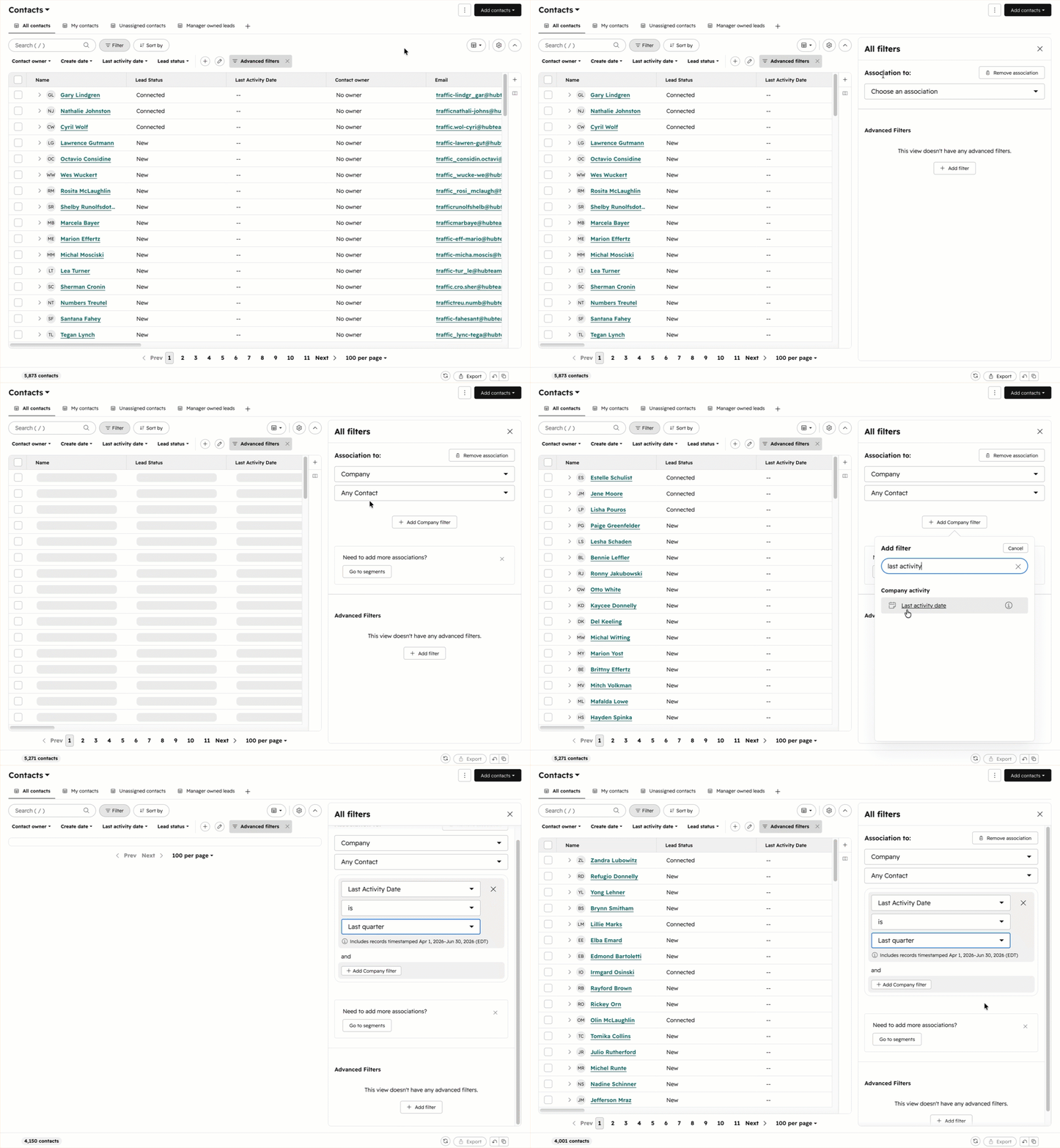
How It Works: 4 Simple Steps
Applying cross-object filters on your CRM Index Pages requires no technical background:
- Open the Filter Panel: Navigate to any CRM index page (Contacts, Companies, Deals, Tasks, etc.), open the filter panel, and select the option to filter by an associated object.
- Select the Associated Object Type: Choose the related object you want to use for filtering (e.g., filtering contacts based on deal properties).
- Define Properties and Values: Pick the specific property and values you wish to filter by.
- Apply and Take Action: Click apply to view your tailored results. From there, you can:
- Save the View: Store the filtered criteria for quick one-click access later.
- Take Bulk Actions: Update or manage filtered records simultaneously.
- Launch Targeted Outreach: Execute targeted sales or service outreach immediately.

Availability
Cross-object Filtering on CRM Index Pages is available across all paid HubSpot subscriptions.
Making smart business decisions isn't just about collecting data—it's about how quickly you can connect those data points to drive action. By bringing relational filtering straight to CRM Index Pages, teams can eliminate repetitive admin work, maintain cleaner alignment, and capture growth opportunities the moment they arise.

References: HubSpot. (2026). Cross-object Filtering on CRM Index Pages. Retrieved from https://app.hubspot.com/l/product-updates/?rollout=309903
Read more articles: HubSpot Product Update: Customize your bookmarks for convenience and time saving (HubSpot Product Update: จัดลำดับ Bookmarks เอง สะดวกและประหยัดเวลา)

Contact us
Tel : 024-609-599
E-mail : contact@ourgreen.co.th
Website : ourgreenfish.com






No Comments