.webp?width=158&height=85&name=New-logo-Ourgreen%20(1).webp)

Today, customers no longer communicate with businesses through just one channel. Some send messages through Instagram, others prefer LINE or WhatsApp, while some reach out via SMS, or even through platforms like Slack or Telegram.
For business owners, the challenge is clear: How can all these conversations be managed efficiently?
HubSpot has expanded the capabilities of its Customer Agent to connect with more third-party messaging channels, including:
- SMS
- Telegram
- LINE
- Slack
- TikTok
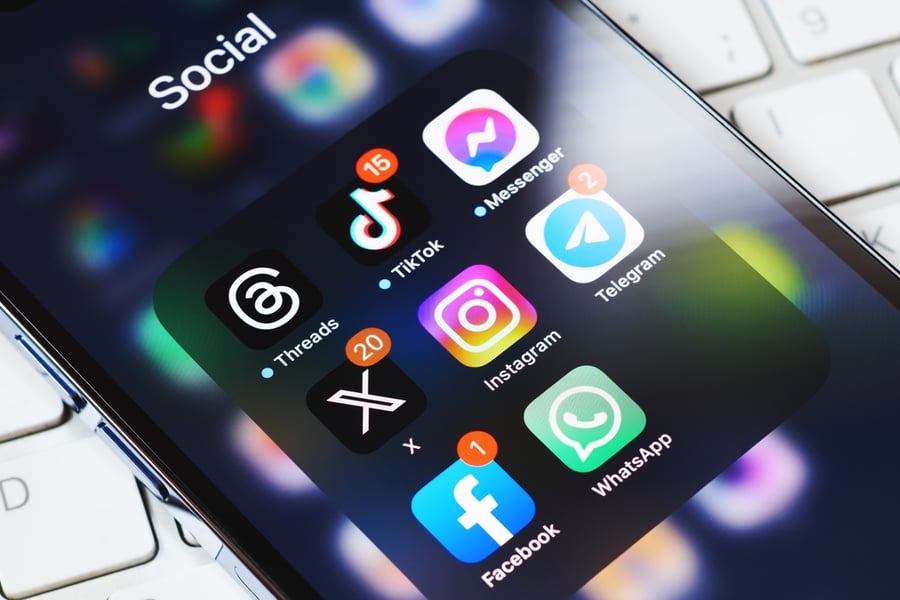
Businesses can create their own integrations using the Custom Channels API or install ready-to-use applications from the HubSpot App Marketplace. Additional channels are also expected to be added in the future.
Once connected, messages from all channels are centralized in the HubSpot Inbox or Help Desk, allowing teams to manage conversations from a single system.
When businesses can use AI to respond to customers across multiple channels in one place, it marks an important step toward building a true omni-channel customer service experience.

Why This Matters for Businesses
In customer service, convenience is critical. Every customer has a preferred communication channel.
If businesses can respond through the channels customers already use, it improves:
- Convenience in contacting the business
- Response speed
- Overall customer experience
Previously, these communication channels were mostly limited to those directly managed by HubSpot, such as Live Chat, Email, and WhatsApp.
Now that Customer Agent can operate across multiple channels, businesses can finally implement a true omni-channel customer service strategy.
How to Connect New Channels to Customer Agent
The setup process involves three main steps.
1. Install an App from the HubSpot App Marketplace
Start by selecting an application that supports your messaging channel, such as:
- Instagram messaging integration
- Telegram integration
- SMS messaging tools
Installing apps requires Super Admin privileges or App Marketplace permissions.
2. Connect the Channel to Inbox or Help Desk
After installing the app:
Go to
Settings → Inbox & Help Desk → Channels
Then click Connect a Channel.
The system will display new channel options available through the installed applications alongside HubSpot’s native channels.
3. Complete the App Setup Process
Each app may have different setup requirements, such as:
- Verifying accounts
- Granting API permissions
- Configuring message routing
Once connected successfully, your business will be able to receive and send messages through that channel directly within HubSpot, just like any native HubSpot channel.

How to Assign Customer Agent to a New Channel
After connecting a messaging channel, the next step is to deploy the Customer Agent.
Follow these steps:
- Go to Service → Customer Agent
- Select the Manage tab
- On the left navigation menu, click Deployment → Channels
- Click Deploy Agent in the top-right corner
- Select the connected channel from Inbox or Help Desk
Once completed, the Customer Agent will immediately be able to respond to messages from that channel.
Note: Using Customer Agent across channels consumes HubSpot Credits.
Who Can Use This Feature?
The ability to connect Customer Agent with third-party messaging channels is available for the following HubSpot plans:
- Customer Platform Professional
- Customer Platform Enterprise
As well as:
- Sales Hub Professional / Enterprise
- Service Hub Professional / Enterprise
AI-powered features such as Customer Agent operate using HubSpot Credits, which serve as the usage unit for AI capabilities within the platform.
Customer Agent and the Future of Omni-Channel Customer Service
The future of customer service is seamless communication.
Customers do not want to switch channels just to contact a business. Instead, they expect businesses to respond wherever they already communicate.
Customer Agent enables businesses to:
- Expand support across multiple messaging channels
- Consolidate conversations into one system
- Provide AI-powered responses 24/7
For business owners, this is not just about adopting new technology. It is about creating better customer experiences across every channel.
In today’s highly competitive market, businesses that communicate with customers faster, more conveniently, and more consistently are the ones that earn trust.
Customer Agent is therefore more than just an AI tool—it is a key driver of omni-channel customer service in the modern era.
References:
- HubSpot. (2026). Manage the Customer Agent. Retrieved from
https://knowledge.hubspot.com/customer-agent/manage-the-customer-agent#manage-the-channels-the-customer-agent-is-assigned-to - HubSpot. (2026). Assign Customer Agent to Third-Party Messaging Channels. Retrieved from
https://app.hubspot.com/l/product-updates/?rollout=248888
Read more articles : HubSpot Product Update: Customize your bookmarks for convenience and time saving (HubSpot Product Update: จัดลำดับ Bookmarks เอง สะดวกและประหยัดเวลา)

Contact us
Tel : 024-609-599
E-mail : contact@ourgreen.co.th
Website : ourgreenfish.com






No Comments